

Smart home retrofit DIY is gaining traction as more homeowners want to automate their homes without tearing out walls or rewiring. But, upgrading older houses for automation comes with unique challenges and decisions. This guide explains real numbers, clear safety advice, and proven steps for an efficient, budget-friendly retrofit.
Key Takeaways
- Retrofit smart home DIY solutions now dominate existing home upgrades, with wireless devices cutting installation time and expense.
- No-neutral wire switch solutions, battery-powered gear, and Matter-certified products are critical for integrating automation in older homes without new wiring.
- Safety is non-negotiable. Spot outdated wiring issues before starting — they’re the leading cause of home retrofit failures and hazards.
- What Is a Smart Home Retrofit DIY—and Why Do It?
- Step-by-Step: How to Retrofit Your Home for Smart Automation
- Advanced Analysis & Common Pitfalls
- Conclusion
- Frequently Asked Questions
What Is a Smart Home Retrofit DIY—and Why Do It?
Smart home retrofit DIY means adding smart controls, automation, and remote monitoring to your current home using products and kits made for installation in older structures. Unlike new builds—where smart wiring is planned—retrofit projects have to work with what’s already in your walls.
Retrofit solutions have exploded: as of 2025, 59% of North American homes report at least one smart device, and retrofits represent over 65% of all new smart home spending (see electrical trends for 2025). Most older homes lack neutral wires at switches or have vintage wiring that is tricky—so battery-powered, wireless, and QR-code guided installs are winning out.
Why consider this? DIY retrofitting means:
- Modern convenience without major remodeling
- Cost savings — professional installs still account for 70.54% of revenue because most users lack information or confidence
- Energy efficiency and better safety
Just know: homes older than 25 years may have electrical safety risks, and some smart upgrades require careful planning.

Step-by-Step: How to Retrofit Your Home for Smart Automation
Ready to start? Here’s how to achieve a successful smart home retrofit DIY—especially for older homes with tricky wiring:
- Assess Your Electrical Panel and Wiring: Confirm your panel’s amp rating, look for aluminum wiring or outdated breakers. In homes older than 25 years, consider consulting a pro—13% of home fires trace back to old or failing wiring (source).
- Choose Your Hub and Ecosystem: Most retrofits now use Matter-certified products. These work on Thread or Wi-Fi, cutting down on proprietary apps. Both Google Home and Amazon Alexa support Matter—see which fits your voice control needs and legacy devices.
- Pick Retrofit-Friendly Devices: For switches where there’s no neutral wire, select no-neutral or battery-powered switches. For sensors, look for battery-operated Thread (or Zigbee/Z-Wave with bridges).
- Start Small, Expand Strategically: Focus on key upgrades—smart thermostat, lighting, and security. For older homes, wireless light modules or plug-in outlets avoid pulling new cables.
- Installation Tools and Aids: Use QR-code instructions and video tutorials included in most top kits. Adhesive mounts, self-tapping screws, and pairing tools minimize invasive work.
- Phased Room-by-Room Upgrades: Don’t try to automate everything at once. Begin with high-ROI spaces—entryways, living rooms, or where you need visibility and energy savings first.
- Budget for Safety Upgrades: Add panel upgrades, AFCI/GFCI breakers if required. These boost both safety and insurance compliance.
- Commissioning and Testing: Use your Matter or hub app’s onboarding workflow. Batch devices into rooms/scenes, verify remote monitoring, and set up routines.
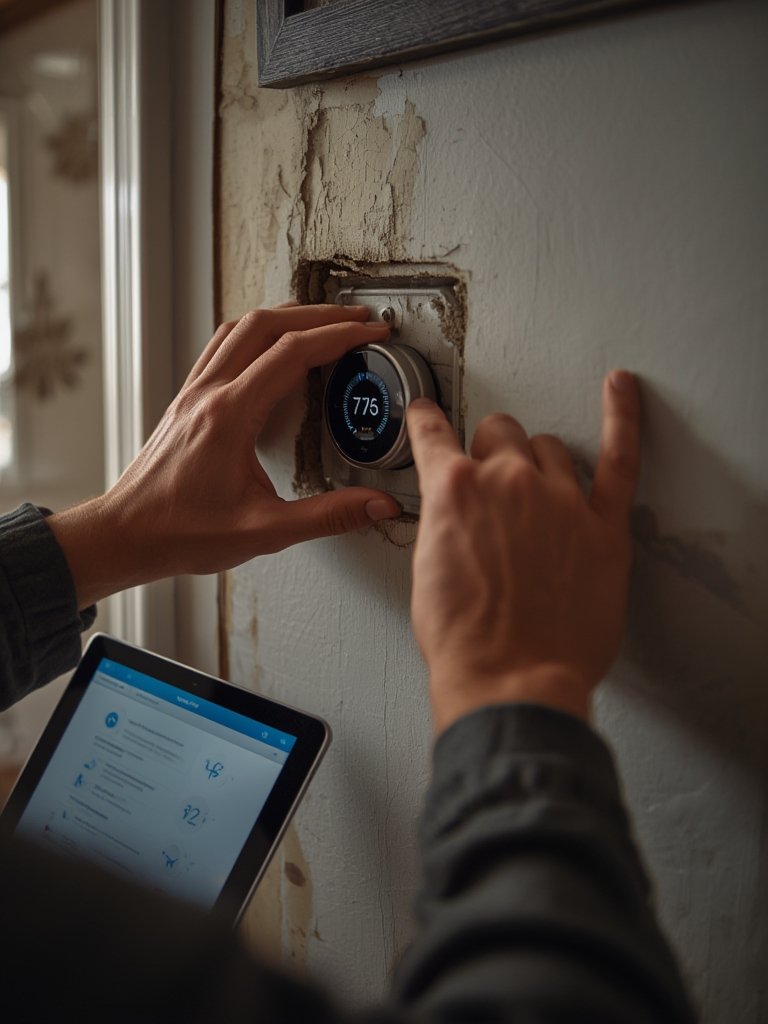
Thinking ahead? Choose starter kits with multi-protocol support. Many 2025 smart home hubs pair Matter/Thread gear and also act as bridges for Zigbee or legacy Wi-Fi gear. Look for kits with adhesive mounts and central energy dashboards to simplify expansion and track ROI.
Need energy cost breakdowns, rebates, or panel guidance? See specialized resources for home EV charger installation and heat pump water heater rebates that frequently leverage similar panel/smart upgrade strategies.
Advanced Analysis & Common Pitfalls
Common Pitfalls When Retrofitting Older Homes
- No Neutral Wire Issues: Nearly all smart switches need a neutral. If your home was built before 1985, you may lack these. Use specialty no-neutral products or go for plug-in smart modules instead.
- Mixed Protocol Nightmares: Legacy Zigbee or Z-Wave devices don’t always play nicely with new Matter/Thread systems. Dual-bridge hubs help, but you may lose unified control. Check compatibility before buying in bulk.
- Electrical Safety Gaps: Old wiring, especially aluminum or undersized panels, remains a safety risk; these factors are the root of 13% of electrical fires (source). Don’t skip a panel health check or AFCI/GFCI breaker retrofits.
- Missing Step-by-Step Non-Tech Guides: Many top guides skip the unique safety and wiring steps needed for older homes. Look for DIY kits with QR onboarding, video tutorials, and clear battery-powered options.
- Underestimating Costs: While you’ll avoid full rewiring, whole-home smart retrofits still add up. About $600–$1200 for LED lighting, $300–$500 for smart thermostats, and $2000–$4000 for a modern panel or safety upgrades are typical (see cost breakdowns).
Comparison: Google Home vs. Amazon Alexa for Budget Retrofitting (2025)
| Feature | Google Home | Amazon Alexa |
|---|---|---|
| Matter/Thread Support | Yes, single-app Matter onboarding | Yes, single-app Matter onboarding |
| Legacy Device Integrations | Works with most Zigbee/Z-Wave hubs | Works with Zigbee (Echo 4th gen), some Z-Wave via hub |
| Voice Control and Scenes | Powerful routines, contextual answers | Broad skill library, multi-user support |
| Starter Kit Cost (2025, avg.) | $90–$160 | $80–$170 |
| Best For | Ecosystem fans, advanced Google routines | Bargain hunters, Amazon-centric homes |
| Drawbacks | App occasionally confusing, some legacy device gaps | Z-Wave support limited, privacy debates |
For advanced automation or piecemeal upgrades in older homes, both hubs work—just match your existing devices or preferred ecosystem. Nearly 40% of users start DIY with smart plugs or doorbells before moving to whole-home setups (research).
Need more installation and cost-saving strategies for complicated home upgrades? Try these proven guides for ADU garage conversion, whole home battery backup, and AI smart home hub setup—all with detailed step-by-step advice for existing properties.
Conclusion
Retrofitting your home for automation is realistic and cost-efficient—but only if you plan for older-wiring quirks, prioritize safety, and choose future-proof devices. Retrofit kits designed for smart home automation in older homes use wireless, Matter-certified products, and battery-powered tech to minimize complexity and maximize results. For most, a smart home retrofit DIY gives you control without construction dust or budget-blowing surprises.
If you’re ready to upgrade your living space, start your smart home retrofit DIY journey today—focus on safety, expand in phases, and check out advanced guides for every specialty install.
Frequently Asked Questions
Can I install smart switches if my house has no neutral wires?
Yes—with the right products. Look for no-neutral or battery-powered smart switches. Always verify compatibility and consult an electrician for safety if your wiring is very old.
Will I need to upgrade my electrical panel for a smart home retrofit DIY?
Maybe. Many homes over 25 years old have outdated panels or breakers. For heavy upgrades or safety compliance, a panel upgrade (typically $2000–$4000) may be required.
How much does a basic smart home retrofit cost without rewiring?
For a typical 3-bedroom home: LED conversion ($600–$1200), smart thermostat ($300–$500), and safety upgrades ($500–$3000), depending on needed equipment.
Is it possible to integrate old Zigbee or Z-Wave devices with new Matter-based systems?
Yes, if your hub or kit supports multi-protocol bridges. Some configurations may lose unified app control, so check device lists before upgrading.
Which upgrades give the fastest return on investment in older homes?
LED lighting, smart thermostats, and centralized energy dashboards usually show payback in 2–4 years from electricity bill savings alone.